The engineering record for a whole campus estate.
A university campus holds decades of drawings across its buildings, plant rooms, and infrastructure. Lunr puts every DWG, DGN, and RVT under revision control, makes the text inside a scanned archive searchable, and keeps contractor handover complete, so Campus Estate can find the right drawing and trust it is current.
20,000 drawings, off SharePoint and under control.
The University of Canberra kept more than 20,000 documents in a SharePoint archive, where drawings took too long to find and handover left documents missing. Campus Estate moved the record to Lunr.
“Lunr is a simple solution that provides the flexibility to develop the system to our needs. Lunr is simple to use, and minimal training is required.”
- ·Selectedby RFQ tender
- AMigration20,000+ documents off SharePoint
- BMain campus liveJuly 2022
- COperatingEsri GIS + XRAY on scanned archives
Organised the way an estate is.
Group the estate into Portfolios by facility and level, discover drawings on the campus map, and bring project teams in without handing over the keys.
- Keep decades of drawings across every building, plant room, and service under revision control.
- Group the estate into Portfolios, each carrying its own building information.
- Find drawings on the campus map, or from where you stand on site.
- Take contractor handover per project, so the as-constructed set arrives complete.
- External consultants and contractors join as Collaborators and see only what you grant them.
Portfolios · campus map discovery · project handover · Collaborators · tag-based permissions
See maps and campus discovery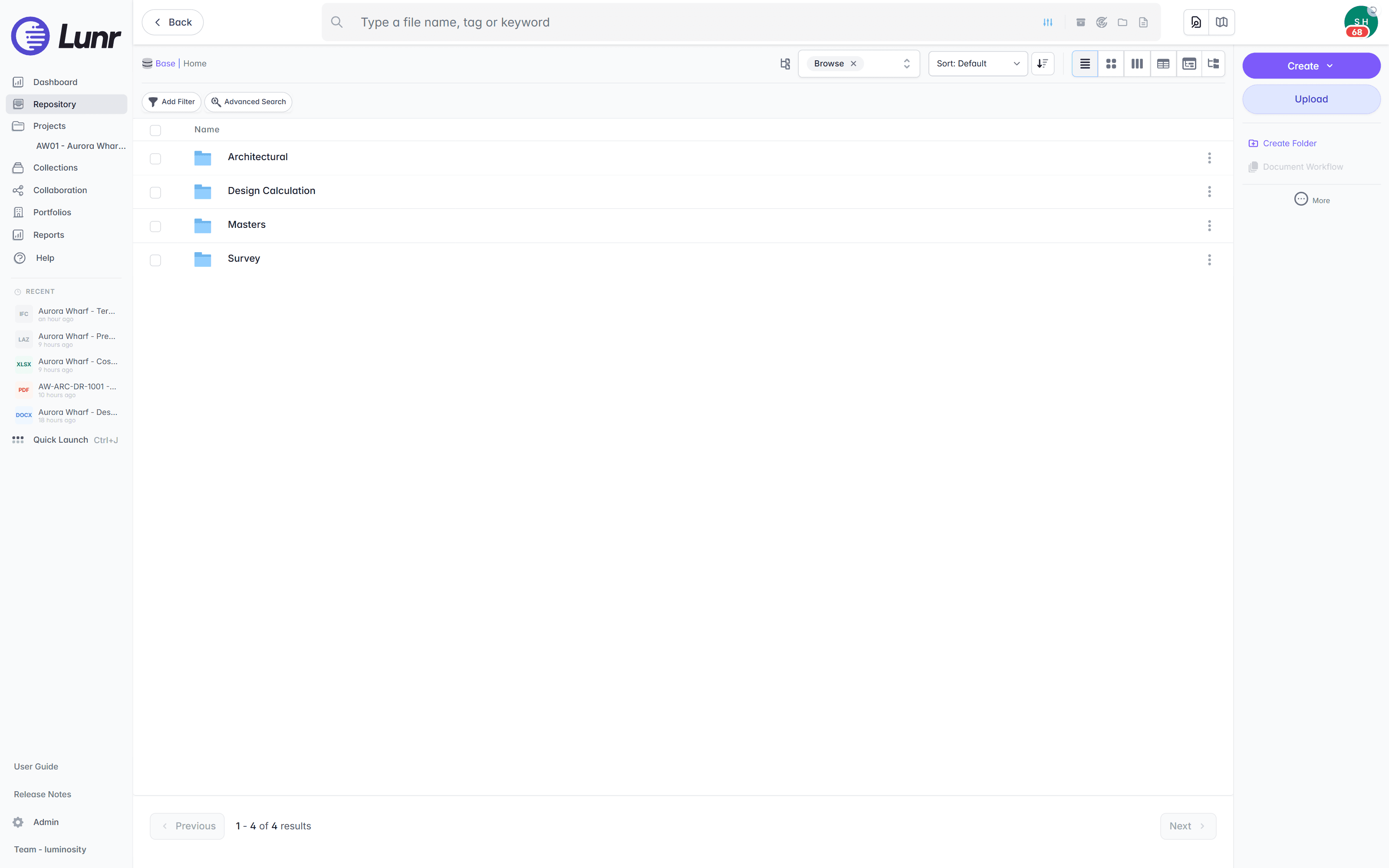
A Portfolio follows the shape of the estate. Group a facility, level by level, so every drawing is filed against the building and the storey it belongs to.
Built to clear a university tender.
Pricing is shaped to your organisation, with every capability included as standard. The answers a tender panel and a CISO look for are already in place.
Evaluation is fast, not a discovery project. The University of Canberra selected Lunr through an RFQ tender.
Data centres in Australia and the US. Your instance sits in the region you require.
Staff sign in with your identity provider. External parties join as Collaborators.
Every controlled document carries a full revision history and audit log.
Export all metadata, drawings, and models at any time. Your record stays yours.
An accessibility statement is published and maintained.
Read the accessibility statement, or connect the space, wayfinding, workplace, and GIS systems your estate already runs on the connectors page.
Questions campus estates ask about drawing management.
How the estate is organised, where the data sits, and what it takes to move a campus archive off SharePoint and keep it.
- How do universities manage campus drawings today, and how is Lunr different?
- Most campus estates keep drawings in nested folders on SharePoint or a shared drive, where a drawing takes too long to find and handover leaves documents missing. Lunr puts every DWG, DGN, and RVT under revision control in one register, keeps the superseded copy marked, makes the text inside a scanned sheet searchable, and validates contractor handover on the way in. The University of Canberra moved more than 20,000 documents off SharePoint onto Lunr for this reason.
- How is a whole campus estate organised in Lunr?
- Group the estate into Portfolios by facility and level, each carrying its own building information, so decades of drawings across every building, plant room, and service sit under one register. Find a drawing on the campus map, or from where you stand on site. External consultants and contractors join as Collaborators and see only the drawings you grant them.
- The University of Canberra chose Lunr through a tender. How does procurement work?
- The University of Canberra selected Lunr through an RFQ tender, and RFQ and RFP submissions are welcome. Evaluation moves quickly, with every capability included as standard and pricing shaped to your organisation. An accessibility statement is published and maintained, and your instance sits in the region you require.
- Where is our data hosted, and how do staff and consultants sign in?
- Lunr runs from data centres in Australia and the US, and your instance sits in the region you require. Staff sign in over SAML with your identity provider, and external consultants and contractors join as Collaborators with access to only the drawings you grant them. Every controlled document carries a full revision history and audit log, and over 10 million documents are under management on Lunr today.
- Can Lunr search our scanned drawing archive?
- Yes. XRAY runs OCR and full-text search across every drawing, scans included, so an asset tag, a room number, or a note printed inside a plan is findable whether the sheet was saved this week or scanned from an old archive. The University of Canberra runs XRAY across its scanned archives today.
- What happens to the record when a project finishes and staff move on?
- The record stays with Campus Estate. Take contractor handover per project and validate each package against a manifest, so a missing as-constructed drawing is caught on upload. Lunr reads title-block tags from each sheet into metadata and applies your numbering as records are booked in. Export all metadata, drawings, and models at any time, so the record stays yours through staff turnover and a change of system.
See it on your campus drawings.
Book a walkthrough with someone who knows what a transmittal and an as-constructed set are, and we will map Lunr to your estate.
10M+ documents under management · Hosted in Australia and the US · SAML · Full audit trail · Export anytime
- entity
- Lunr Labs Pty Ltd
- location
- Melbourne AU
- workspace
- documents.lunr.app
- rev
- 2026