The engineering record for a whole airport.
An airport holds decades of drawings across its airfield, terminals, and services, and works never stop while the airport keeps operating. Lunr holds that record under revision control, makes the text inside a scanned drawing searchable, and makes contractor handover arrive complete, so the record stays with the operator and the current revision can be trusted.
10M+ documents under management · Hosted in Australia and the US · SAML · Full audit trail · Export anytime
The current revision has to be right on a live airfield.
An airport never closes, and works run against a live operation. Keep every drawing under revision control, so the superseded copy is never mistaken for the current one, and keep a full audit log behind every change, ready for a safety or compliance review years later.
- Hold decades of drawings across the airfield, terminals, and services under revision control.
- Group the estate into Portfolios, each carrying its own building information.
- Automatic document and version numbering, applied in your register format as records are booked in.
- A full revision history and audit log on every drawing, so any change can be traced and evidenced.
revision control · Portfolios · automatic numbering · audit log · records custody
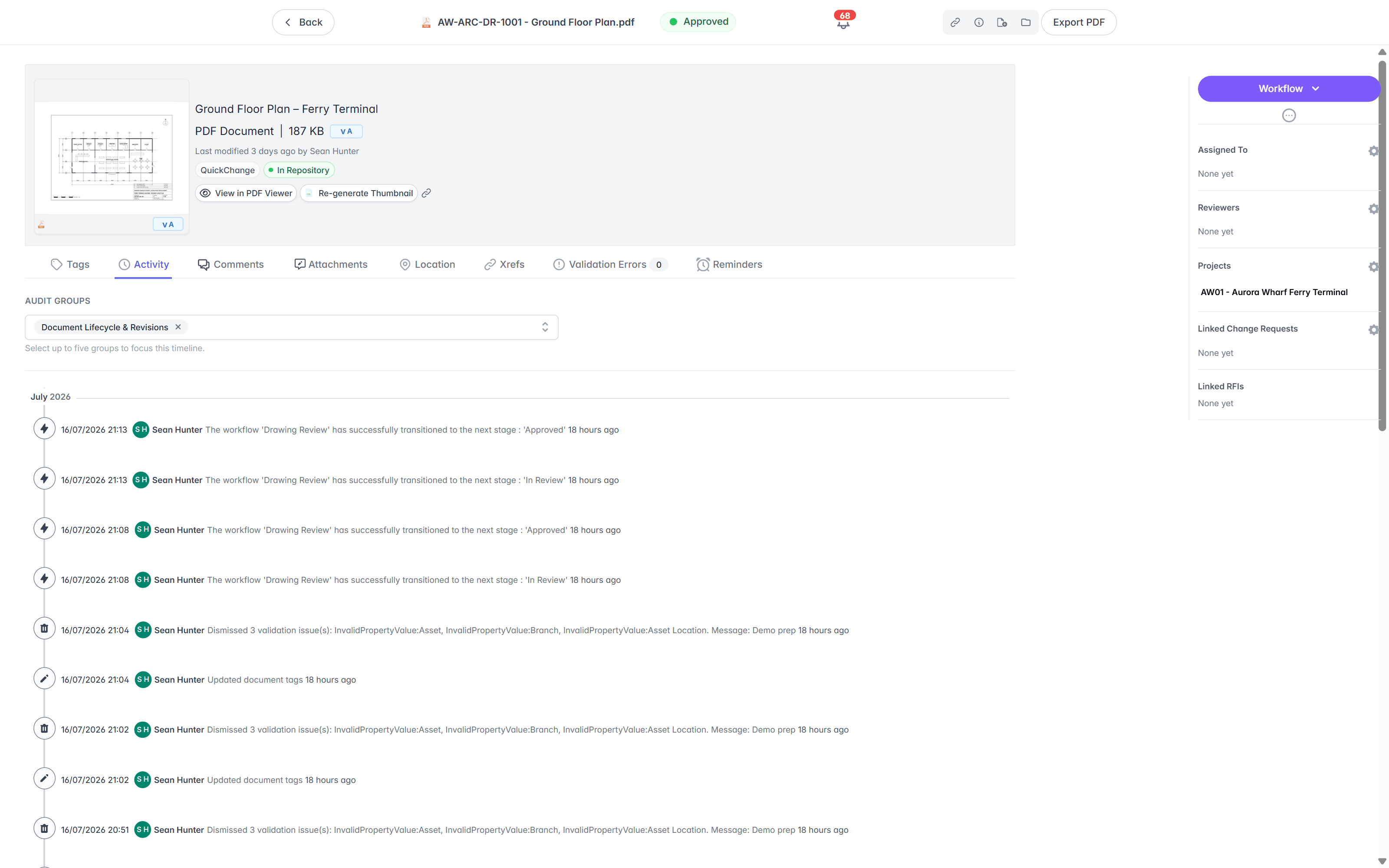
Staff see the drawing without a CAD licence.
Most of the people who need an airport drawing do not run CAD. The Rift viewer renders DWG, DGN, and PDF at full fidelity in the browser, with layers, measurement, and markup, so airside, terminal, and maintenance staff review a drawing without a seat. Models open in Foundry, point clouds in Nimbus.
- View DWG, DGN, RVT, and PDF in the browser, with no CAD licence and nothing to install.
- Toggle layers, measure, and mark up the drawing straight in the viewer.
- Open BIM models in Foundry and point clouds in Nimbus from the same record.
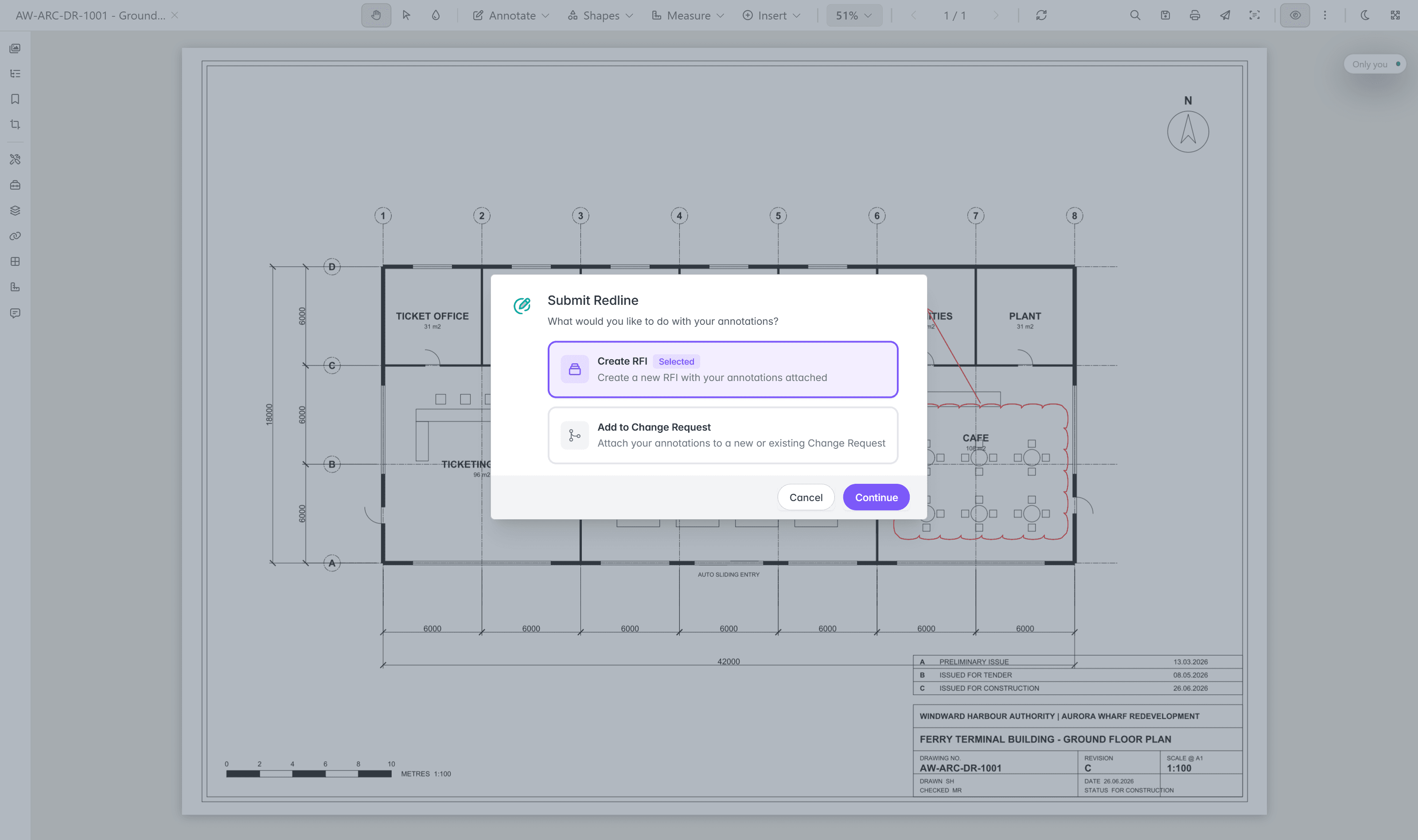
- Turn a redline into a change request or an RFI without leaving the viewer.
browser viewers · layers · measurement · markup · no CAD licence
Try the viewers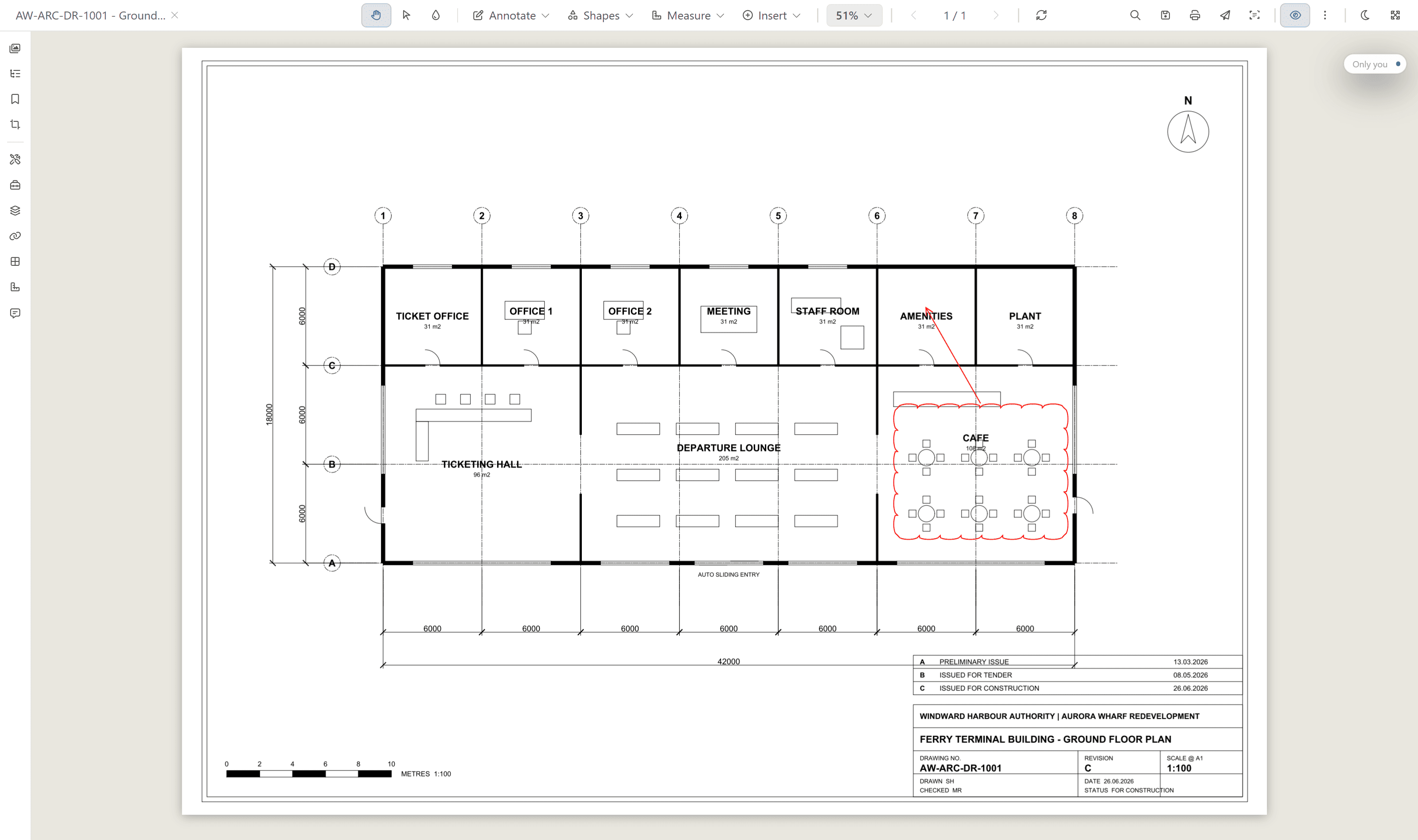
A BIM model opens the same way. Orbit, pan, and walk the model in Foundry, then frame any element and inspect its properties.
Search the words inside a scanned drawing.
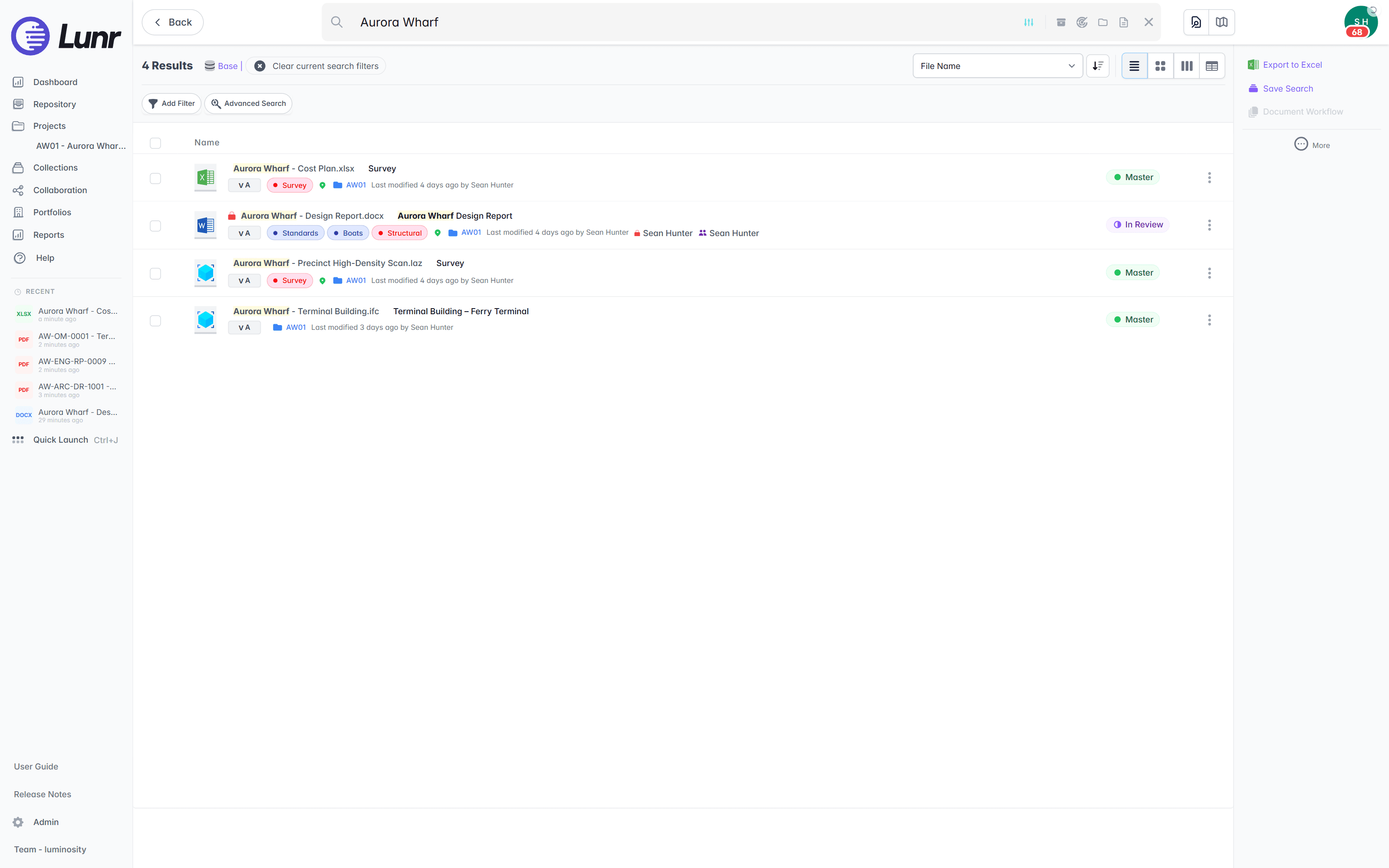
An airport archive runs back to plans drawn long before CAD, and much of it is scanned. XRAY runs OCR and full-text search across every drawing, scans included, so a stand number, an asset ID, or a note is findable whether the sheet was saved this morning or scanned from a decades-old archive.
- OCR and AI full-text search across every DWG, DGN, RVT, PDF, and scanned image.
- Find a stand number, an asset ID, or a note printed inside the drawing, not just the file name.
- Deep XRAY re-scans a dense sheet tile by tile, so nothing on the drawing is missed.
- Filter results by metadata, tags, and revision to narrow a large estate archive fast.
OCR · AI full-text search · deep XRAY tile re-scan · metadata and tag filters
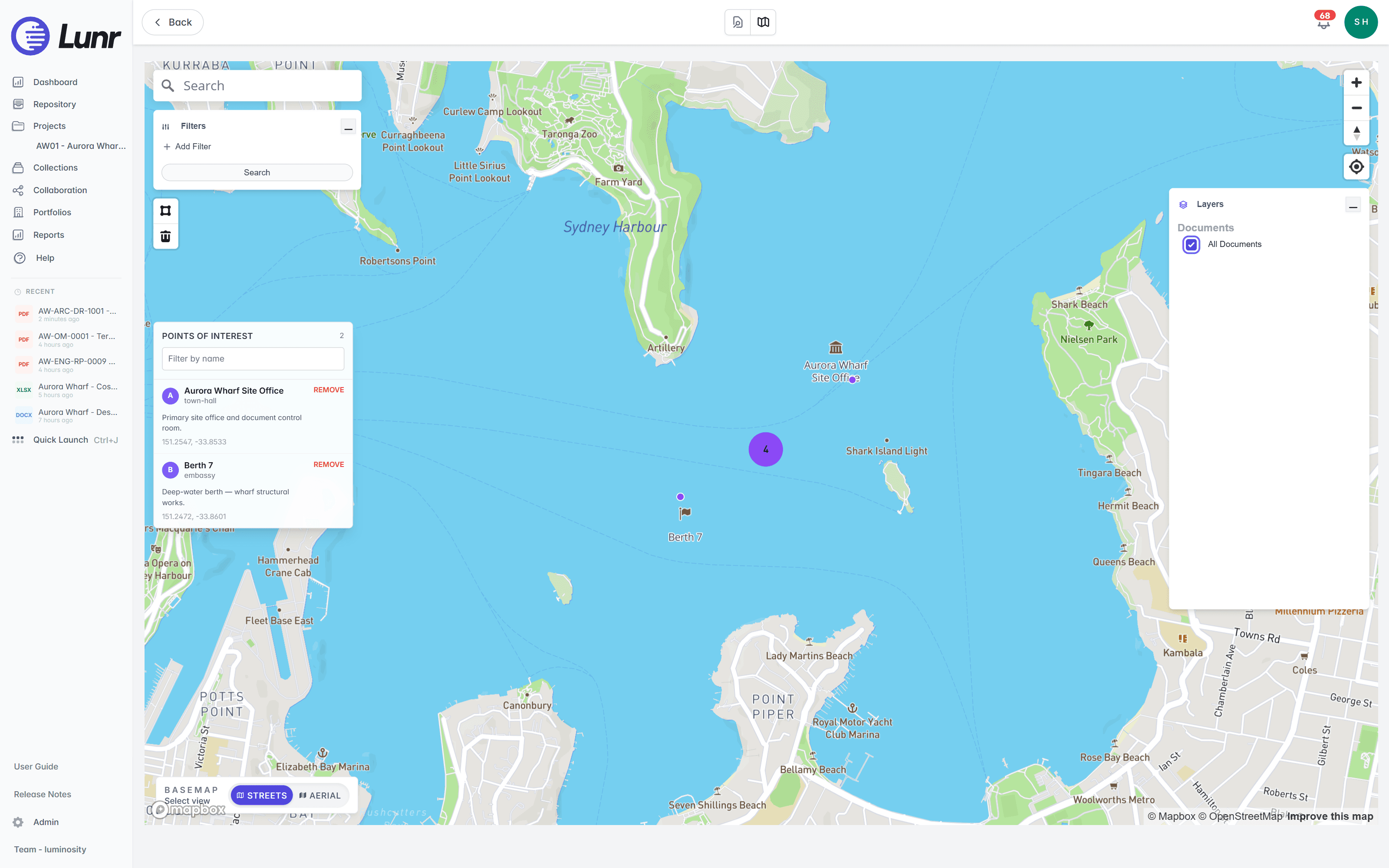
Open the drawing from the airfield on the map.
An airport is a spatial estate, and the map is where staff already look. The Esri and ArcGIS connector ties each drawing to its place on the airfield, so the engineering record opens straight from the map you run for stands, aprons, and piers.
- Tie drawings to their place on the airfield through the Esri and ArcGIS connector.
- See every geo-tagged document on a live map, clustered by location.
- Draw a boundary around a stand, an apron, or a pier, and Lunr returns every document inside it.
- Browse the record from where you stand on the apron.
Esri and ArcGIS · geo-tagged documents · polygon search · field access
As-constructed sets that arrive complete.
Capital works, terminal fit-outs, and pavement renewals are delivered by contractors, and the record only stays whole if handover is checked on the way in. Validate each package against a manifest, so a missing as-constructed drawing is caught on upload, not discovered on the next project.
- Validate each handover package against a manifest, and read title-block tags into metadata.
- Issue tracked transmittals, and run change requests that hold, forward, and close.
- Move deliverables through configurable review and approval workflows.
- Contractors and consultants deliver as Collaborators, and see only what you grant them.
manifest validation · transmittals · change requests · configurable workflows · Collaborators
Built to clear an airport tender.
The answers a tender panel and a CISO look for are already in place. Pricing is shaped to your organisation, with every capability included as standard.
Data centres in Australia and the US. Your instance sits in the region you require, so records stay onshore.
Staff sign in with your identity provider. Contractors and consultants join as Collaborators.
Every controlled document carries a full revision history and audit log, ready for a safety or compliance review.
Export all metadata, drawings, and models at any time. The record stays with the operator.
Every capability is standard, with pricing shaped to your organisation. Evaluation is fast, not a discovery project.
An accessibility statement is published and maintained for the browser workspace.
Read the accessibility statement, or connect the GIS, facilities, and CAD systems your airport already runs on the connectors page.
Trusted with records owners keep for decades.
A public-sector estate close to home runs its drawing record on Lunr. The University of Canberra moved its archive off SharePoint and put it under control.
“Lunr is a simple solution that provides the flexibility to develop the system to our needs. Lunr is simple to use, and minimal training is required.”
10M+ documents under management on Lunr today.
Read the University of Canberra case studyQuestions airport teams ask about drawing management.
How the record is held today, keeping the current revision right on a live airfield, where the data sits, and what it takes to hand the archive over and keep it.
- How do airport operators manage engineering drawings today, and how is Lunr different?
- Most operators keep drawings in nested folders on SharePoint or a shared drive, split across the airfield, terminals, services, and outsourced consultants. The current revision is a guess, superseded sheets stay in circulation, the text inside a scanned plan is invisible to search, and there is no audit trail. Lunr puts every drawing under revision control in one register, keeps the superseded copy marked, searches the words printed inside each sheet, and logs every change. The University of Canberra moved more than 20,000 documents off SharePoint onto Lunr for this reason.
- The airfield never closes. How does Lunr keep the current revision trustworthy?
- Keep every drawing under revision control, so the superseded copy is always marked and a works crew on a live apron is never reading an out-of-date sheet. Every change carries a full audit log, ready for a safety or compliance review years later. Group the airfield, terminals, and services into Portfolios, each carrying its own building information, so the right drawing is easy to find while the airport keeps operating.
- Where is our data hosted, and does it stay onshore?
- Lunr is hosted in Australia and the US, and your instance sits in the region you require, so records stay onshore for data sovereignty. Staff sign in over SAML with your identity provider, external parties join as Collaborators, and every controlled document carries a full audit trail. Over 10 million documents are under management on Lunr today.
- Can staff without a CAD licence view drawings?
- Yes. Anyone with access opens DWG, DGN, and PDF drawings in the browser through the Rift viewer, with layers, measurement, and markup, and nothing to install. Models open in Foundry and point clouds in Nimbus. A CAD seat is only needed to author drawings, so airside, terminal, and maintenance staff can see the drawing without one.
- Can Lunr search our scanned airfield and terminal drawing archive?
- Yes. XRAY runs OCR and full-text search across every drawing, scans included, so a stand number, an asset ID, or a note printed on a plan is findable whether the sheet was saved this morning or scanned from a decades-old archive. Deep XRAY re-scans a dense sheet tile by tile, so nothing on the drawing is missed. Filter results by metadata, tags, and revision to narrow a large estate archive fast.
- If we change systems later, can we take our records with us?
- Yes. Export all metadata, drawings, and models at any time, in bulk, so the airport record is never locked in. The custody of the record stays with the operator, not the vendor, which is the point of holding it under control in the first place.
See it on your own airport drawings.
Book a walkthrough with someone who knows what a transmittal and an as-constructed set are, and we will map Lunr to your estate.
10M+ documents under management · Hosted in Australia and the US · SAML · Full audit trail · Export anytime
- entity
- Lunr Labs Pty Ltd
- location
- Melbourne AU
- workspace
- documents.lunr.app
- rev
- 2026