Your record moves across, revision history and all.
A migration is the hard part of changing systems, so we run it as a defined project with a sign-off at every stage: solution design workshops, a sandbox migration you approve, user acceptance testing in a test environment, then the production cutover with training and hypercare.
SharePoint · ProjectWise · Autodesk Vault · OnBase · DataViewer · Meridian
Migration risk is why teams stay on systems they have outgrown.
Decades of drawings sit in a system nobody wants to keep, and the fear is the same every time: the metadata will not survive the move, the revision history will flatten to whatever was current on the day, and the team will spend a year finding out what went missing.
We answer that by proving the migration on your own data, in a sandbox, before anything goes live. You see the result, reconcile it against the source, and sign it off. Nothing advances until you do.
Compare Lunr with the system you run today- 01SharePoint
- 02ProjectWise
- 03Autodesk Vault
- 04OnBase
- 05DataViewer
- 06Meridian
Plus file shares and network drives with no document management system behind them.
Four stages, and you sign off each one.
The same method runs on every implementation, whether the source is a network drive or twenty years of Meridian. Design it, prove it in a sandbox, test it, then move it to production with the training and support to make it stick.
- DRAWING_NODocument number
- REVRevision
- SHEET_TITLETitle
- DISCIPLINETag · discipline
- LEGACY_SYS_IDRetired, agreed in design
Mapping signed off · 5 of 5 fields
Solution design
We run in-person workshops with your document controllers, engineers, and IT team, and write down how the system has to work before anything moves. The workshops produce a solution design that the whole project runs against.
- Workflows: the review and approval steps each controlled document passes through.
- Security and access control: who sees what, which groups hold which access rights, and how external parties join.
- Numbering, metadata, and the asset or project hierarchy the record sits in.
- Data migration mappings: every field in the source system mapped to its destination in Lunr.
Stage output: Signed-off solution design
Sandbox migration
We extract from the source system and load a full migration into a sandbox, using the mappings agreed in design. You see your own documents, your own metadata, and your own revision history in Lunr, not a sample set, and the mappings are corrected against real data.
- A full extraction from the source system, run end to end.
- Metadata, revision history, and superseded revisions carried across and checked against the source.
- Reconciliation counts, so every document in the source is accounted for in the destination.
- Mapping corrections applied and the migration rerun until you sign it off.
Stage output: Signed-off sandbox migration
Test environment and UAT
The signed-off configuration and migration move to a test environment, where your team runs user acceptance testing against test plans. Document controllers exercise the real workflows, permissions, and searches on real migrated data, and anything they raise is fixed and retested.
- Test plans covering workflows, access control, search, transmittals, and viewing.
- UAT run by your own document controllers and engineers, not by us on your behalf.
- Issues logged, resolved, and retested before the environment is accepted.
- Integrations and connectors tested against the systems they talk to.
Stage output: Signed-off UAT
Production migration, training, and hypercare
The production migration runs to an agreed cutover, with a final delta pass so nothing added late in the source system is lost. Training is delivered in person and remotely, tailored to each role, and the implementation team stays close through hypercare while the new record beds in.
- A planned cutover with a final delta migration, so late changes in the source system come across.
- In-person and remote training, tailored to document controllers, engineers, and read-only users.
- Hypercare: the implementation team stays available through the first weeks of live use.
- Handover to ongoing support once the record is running.
Stage output: Live on Lunr
The history comes with the documents.
A migration that brings across only the current revision throws away the part of the record you are keeping for decades. Every earlier revision loads and is marked as superseded, metadata maps to fields agreed in design, and the counts reconcile against the source so nothing is quietly dropped.
- Every revision, current and superseded, loaded and marked, not just the latest sheet.
- Metadata mapped field by field, with the mapping agreed in the design workshops before any data moves.
- The folder, project, or asset hierarchy rebuilt in the structure you settled during design.
- Export all metadata, drawings, and models at any time, so the record you migrate in stays yours.
full revision history · field mapping · hierarchy · reconciliation
See what the record holds once it lands- E-101 · site plan3 / 3matched
- M-204 · HVAC layout7 / 7matched
- S-118 · footing detail5 / 41 short
- E-330 · single line diagram2 / 2matched
1 exception raised · sign-off withheld
- Title-block tags parsed into metadata, so a migrated drawing arrives searchable rather than as a bare file.
- XRAY OCR run across the migrated set, including scans, so text inside old drawings is findable.
- Workflows and access control configured to the design, then tested in UAT before go-live.
- The audit trail starts at migration and holds every change from that point on.
title-block parsing · XRAY OCR · workflows · access control · audit trail
See XRAY search a scanned drawing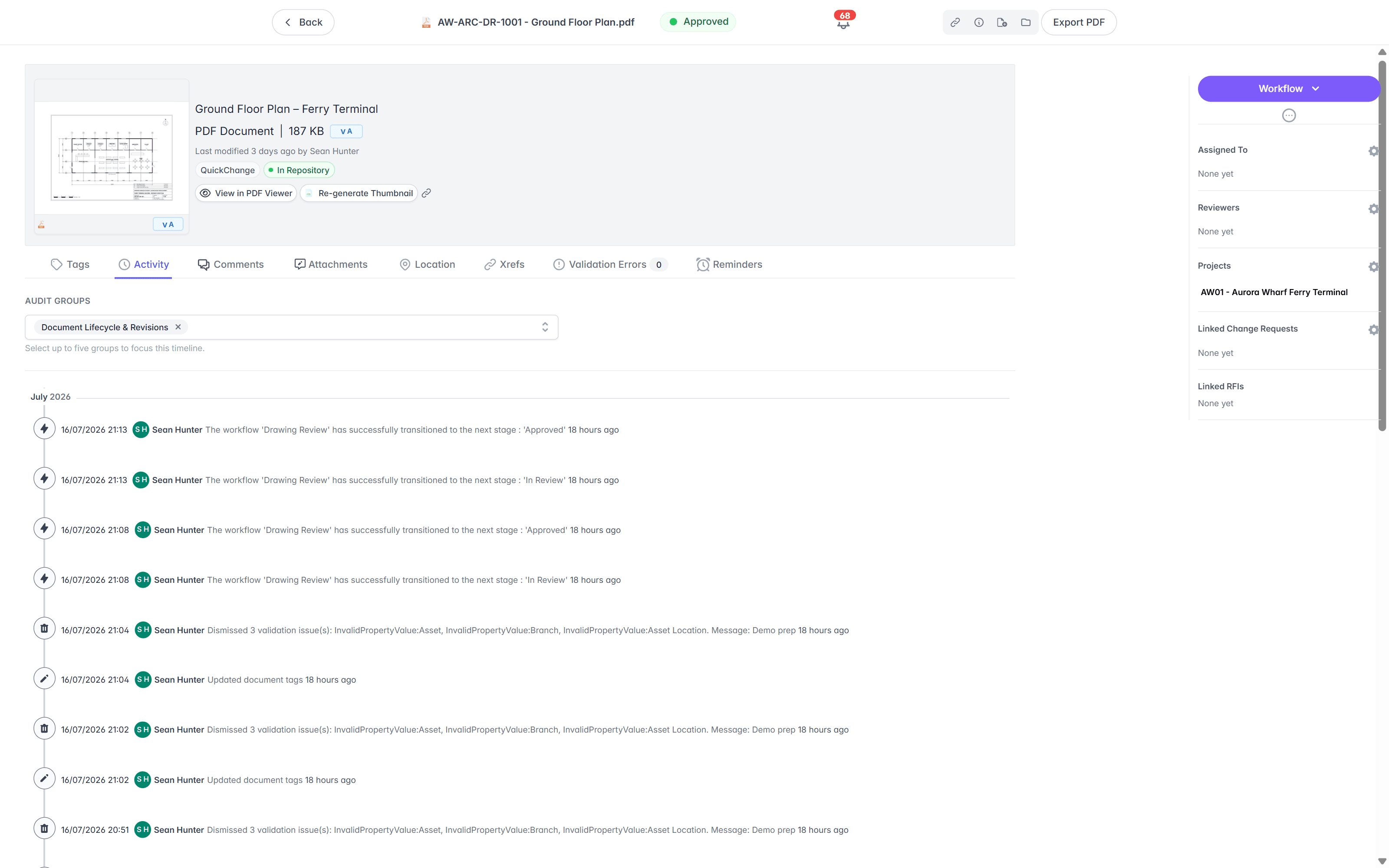
Twenty years of engineering document migrations.
The team behind your implementation has been migrating engineering document records at Australian asset owners for two decades, across utilities, power generation, manufacturing, mining, and education. Millions of documents have moved under this method.
of engineering document migrations across Australian asset owners, covering millions of drawings and documents.
- Utilities
- Power generation
- Manufacturing
- Mining
- Education
Campus estate teams run their drawing record on this method, including the University of Melbourne, Curtin University, and the University of Canberra.
See Lunr for universitiesRead the University of Canberra case study“Lunr is a simple solution that provides the flexibility to develop the system to our needs. Lunr is simple to use, and minimal training is required.”
- method
- design · sandbox · UAT · production
- sign-offs
- 4 of 4
- training
- in person + remote
- after go-live
- hypercare
Questions teams ask before they commit to a migration.
What moves, how much it disrupts, and who does the work.
- How long does an implementation take?
- The timeline is agreed during solution design, because it turns on the size of the source record and the configuration the design calls for. The shape is the same on every project: solution design workshops, a sandbox migration you sign off, UAT in a test environment, then the production cutover with training and hypercare.
- Which systems can you migrate from?
- The team has migrated organisations off SharePoint, ProjectWise, Autodesk Vault, OnBase, DataViewer, and Meridian, as well as file shares and network drives with no document management system at all. If your source system can export its documents and metadata, it can be migrated. Where the export is thin, we work from the underlying database instead.
- Does revision history come across, or only the current revision?
- Revision history comes across. Every earlier revision is loaded and marked as superseded, exactly as it would be if it had been booked into Lunr at the time, so the record you inherit is the full history rather than a snapshot of what happened to be current on migration day.
- What happens to metadata that has no equivalent in Lunr?
- Field mapping is settled in the solution design workshops, before any data moves. Fields map to Lunr metadata, to tags, or to a new field created for the purpose. Where a source field is no longer meaningful, we agree in writing to retire it rather than carry it across unexamined. The migration is a chance to clean the record, so poor data is identified during design instead of being reproduced in the new system.
- Will the business keep running during the migration?
- Yes. The sandbox and test migrations run alongside your live source system without touching it, so people keep working while the mappings are proven. Only the final production cutover needs a freeze on the source system, and it is planned with you, run over an agreed window, and finished with a delta pass that picks up anything changed late.
- Where does our data sit during the migration, and who can reach it?
- Your data stays inside your own Lunr instance for the whole project, hosted in Australia or the US according to the region you require. The sandbox and test environments are yours, not a shared workbench, and access to them is controlled by the same groups and access rights agreed in the solution design. Staff sign in over SAML with your identity provider. See the security page for hosting, encryption, and the controls behind the platform.
- What happens to the old system after cutover?
- That is your call, and it is planned during design. Most organisations keep the source system available read-only for an agreed period after go-live, as a fallback while confidence builds, then decommission it. Because the migration brings the full revision history across rather than a snapshot, the old system stops being the record on cutover day.
- Can we get our data back out later?
- Yes. Export all metadata, drawings, models, and documents at any time. The record you migrate in stays yours. An organisation that has just spent a project extracting itself from one system is entitled to know it can leave the next one, so the exit is a standing capability rather than a favour.
- Who does the work, and what do you need from us?
- The implementation team runs the extraction, mapping, migration, and configuration. From you we need document controllers and engineers who know how the current record works to attend the design workshops and run UAT, an IT contact for access to the source system and your identity provider, and a decision maker who can sign off each stage.
- What happens after go-live?
- Hypercare runs first: the implementation team stays available through the first weeks of live use, when the questions are heaviest. After that the account moves to ongoing support, with agreed response times and a named contact who already knows how your system was configured.
For hosting regions, encryption, access control, and the controls behind the platform your record lands in, see security.
Tell us what you are migrating from.
Bring the system you run today, a sense of how many drawings sit in it, and the questions your document controllers will ask. We will walk you through how the migration would run.
10M+ documents under management · Hosted in Australia and the US · SAML · Full audit trail · Export anytime
- entity
- Lunr Labs Pty Ltd
- location
- Melbourne AU
- workspace
- documents.lunr.app
- rev
- 2026